
If you searched for How to Make Pet Bartender AI, the short version is simple: upload one photo, choose a video cut and resolution, check the credit cost shown in the generator, and start creating. The $1, $5, and $50 drink rounds are part of the Pet Bartender AI scene.
What Is Pet Bartender AI?
Pet Bartender AI turns a still photo into a short, vertical AI video of a pet behind a bar. The scene gives your star small round glasses and builds through three escalating drink rounds: a simple $1 pour, a more polished $5 drink, and a dramatic $50 finale.
It is a ready-made video concept, so you do not need to write a prompt or edit the scene yourself. Upload one image, choose the available cut and quality settings, and review the generated result. Details such as facial features and movement can vary from one result to another.
Can I Use My Own Pet’s Photo?
Yes. Upload a photo you own or have permission to use, and your dog, cat, rabbit, or another pet can become the star of the bartender video. The generator takes one photo for each video; you do not need to upload a video clip or a set of reference images.
A clear image gives the AI a stronger visual reference for your pet’s face, coloring, and markings. The result is a creative interpretation, though, so it may not reproduce every detail exactly.
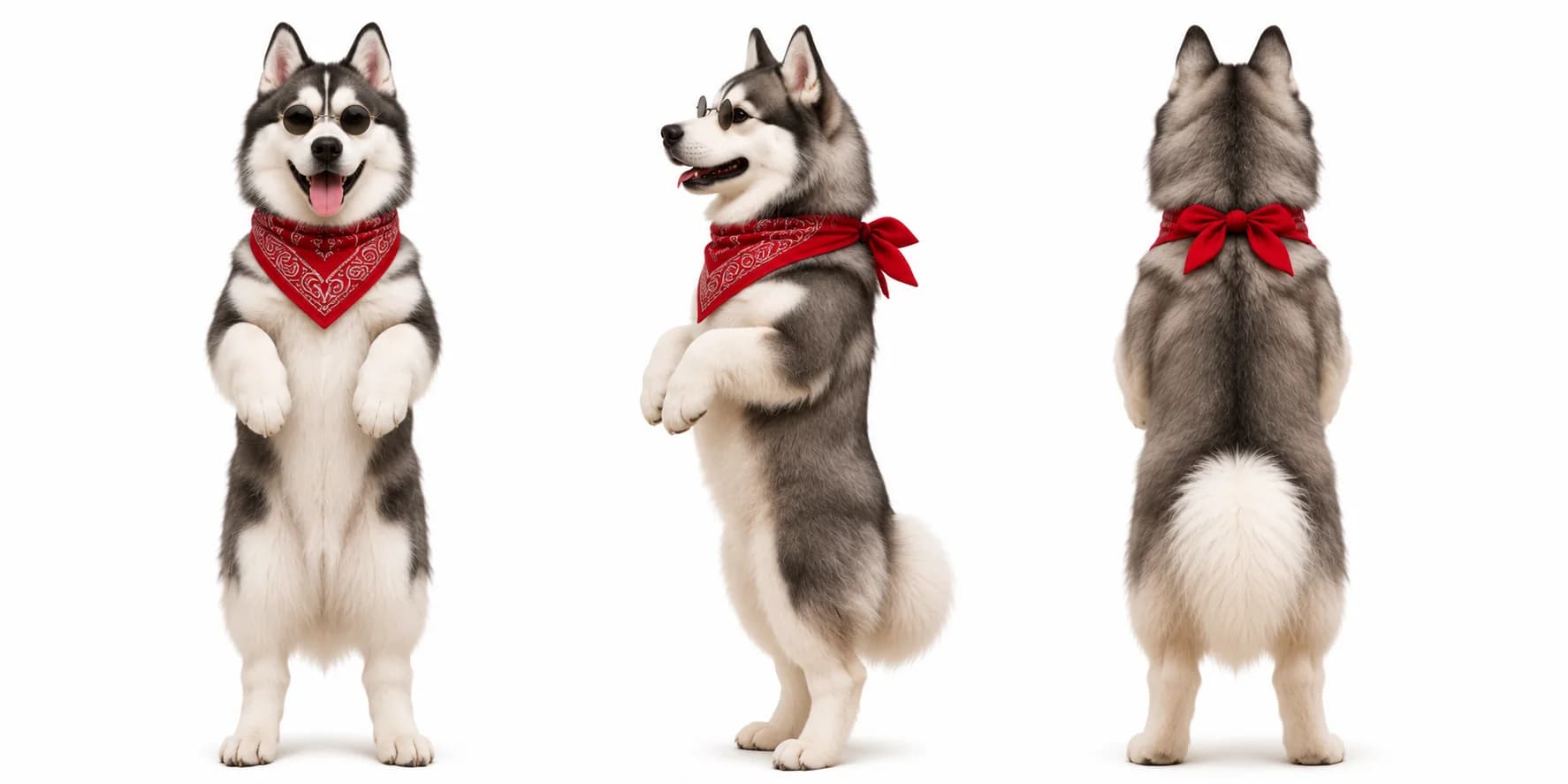
Photo reference
See the reference behind the video
This is the husky reference for the Full Cut example below. Compare it with the finished bartender video to see how the pet’s look carries into the scene.
See the generated example ↓How to Choose a Photo for Pet Bartender AI
Choose a picture where one pet is easy to recognize, even when viewed on a phone screen. These practical checks can help:
- Keep the face visible. A front-facing or slight three-quarter view helps show the eyes, muzzle, and distinctive markings.
- Use even light. Bright, soft light keeps the face clear. Avoid deep shadows, motion blur, and strong color filters.
- Make your pet the clear subject. Avoid crowded group shots, overlapping animals, or anything covering the eyes.
- Upload a supported image. The generator accepts JPG, PNG, WebP, HEIC, and HEIF images up to 50 MB. Large and Apple-format photos are optimized on your device before upload.
Use an image you have permission to upload. Clear portraits tend to make it easier to recognize your pet in the finished bartender scene, but AI results can still vary.
How to Make Pet Bartender AI: From Photo to Video
Follow these steps to make a Pet Bartender AI video with your own pet:
Open the generator
Go to the Pet Bartender AI video tool.Upload one clear photo
Choose a JPG, PNG, WebP, HEIC, or HEIF file up to 50 MB. Larger and Apple-format photos are optimized on your device before upload. Check the preview to make sure your pet is visible.Choose a video cut
Pick the 15-second Quick Cut or the approximately 29-second Full Cut with the complete three-round build.Select quality and review the cost
Choose 480p or 720p. The generator shows the credit cost for your selected cut and resolution before you start.Create and review your video
Click the create button and sign in if prompted. When the video is ready, preview it in My Videos, then download it if you are happy with the result.
Both cuts are vertical 9:16 videos with sound and no watermark. Quick Cut is 15 seconds; Full Cut is about 29 seconds and includes the full drink-round build.
See a Real Pet Bartender AI Video Example
This generated Full Cut features the same husky as the reference image shown above. Watch how the three drink rounds build from the simple $1 pour to the $50 finale.
Generated example
Husky bartender · Full Cut
This sample video was made with Pet Bartender AI and features a husky in round glasses serving the $1, $5, and $50 drinks. Play it with sound to preview the finished vertical video.
Your pet’s final appearance, expressions, and movement may differ from the sample and from the uploaded photo.
Make a Pet Bartender AI Video with Your Pet
Pick a clear photo, choose your cut, and bring your pet into the $1 vs $5 vs $50 bartender challenge.
Create your own Pet Bartender AI video