
What Is the Cat Bartender AI Idea?
Cat Bartender AI turns a still cat photo into a playful bartender scene. Small round glasses, a focused expression, and three escalating drink rounds give the cat a comic straight-faced role behind the counter.
The same $1, $5, and $50 creative labels set up a simple pour, a more polished middle round, and an over-the-top finale. They are part of the video’s storytelling format, not real beverage prices or advice about buying drinks.
How to Upload Your Cat’s Photo
Open the Pet Bartender AI generator and choose one photo you own or have permission to use. It accepts JPG, PNG, WebP, HEIC, and HEIF images up to 50 MB. Large and Apple-format photos are optimized on your device before upload.
A portrait works well when your cat’s face is easy to see. Keep the ears, eyes, and distinctive coat pattern in frame; use soft, even light and avoid strong filters or motion blur.
For a tabby, tuxedo, calico, pointed, or long-haired cat, choose a photo where the markings and fur shape stand out clearly. Keep one cat as the clear subject if the image includes more than one pet.
Cat Bartender AI Example: A Siamese Cat
The generated Full Cut below features a cream Siamese cat with dark points and blue eyes. It shows the complete build from the first pour to the final reveal.
Generated cat example
One cat through three rounds
This sample follows one Siamese cat across the full bartender build. You can upload a tabby, tuxedo, calico, pointed, or long-haired cat of your own; the generator uses your photo as the visual reference, and results can vary.
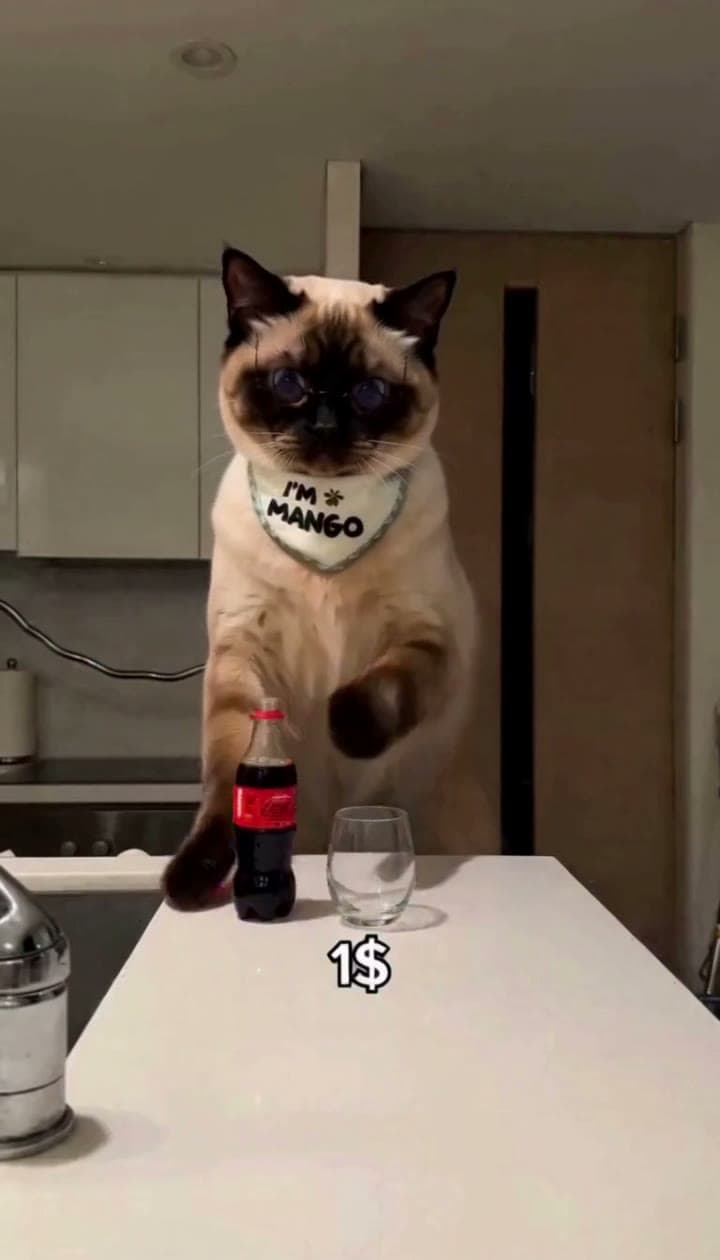
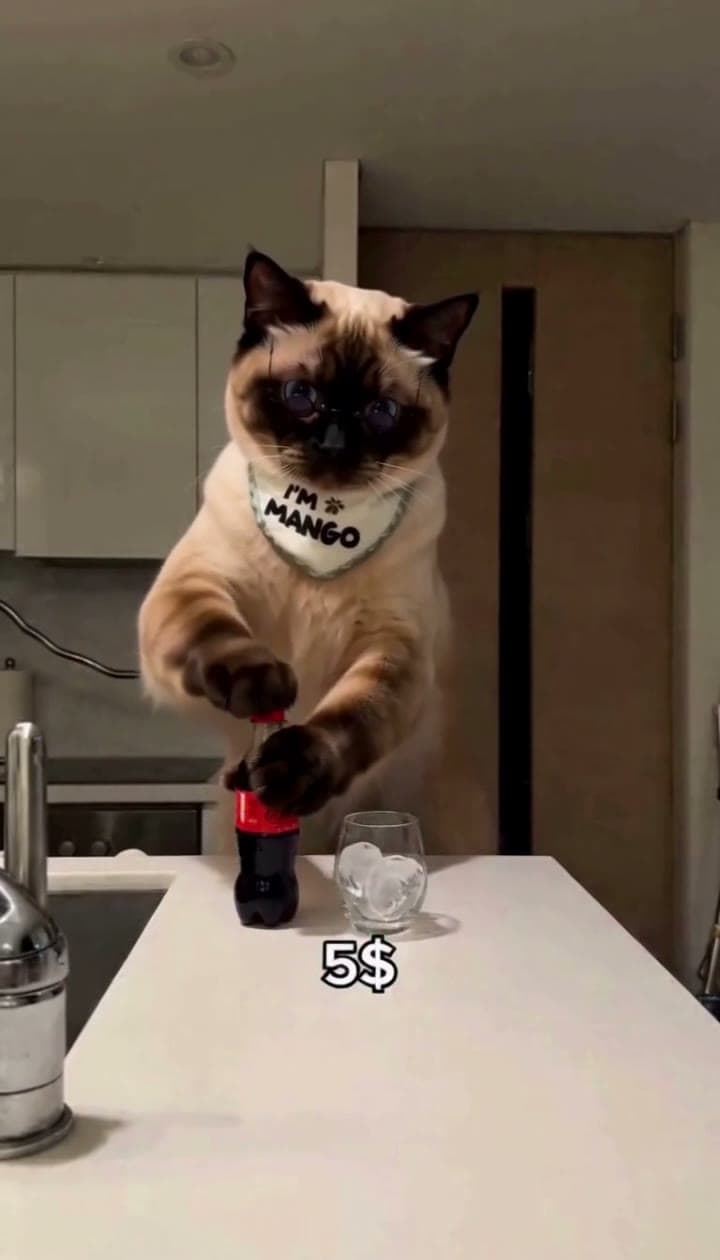
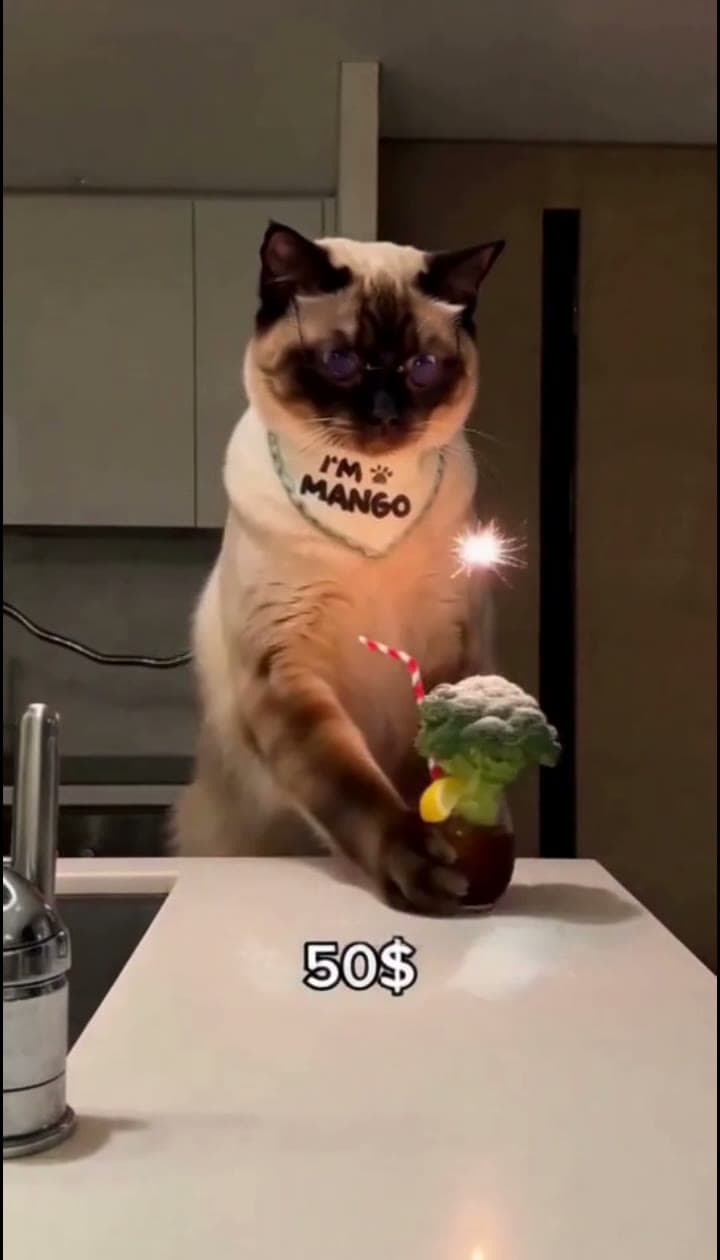
These images show three moments from the same Siamese cat example. They are creative video labels, not real drink prices.
How to Get a Better AI Cat Bartender Result
- Use a sharp photo with your cat’s eyes and face in focus.
- Keep the ears and coat markings inside the frame so the generator can see the cat’s shape and pattern.
- Prefer a calm pose and a simple background over a busy scene or strong color filter.
- Choose one cat as the main subject; avoid overlapping pets or objects across the face.
Clear features help the AI interpret different coats, from tabby stripes and tuxedo markings to pointed or long-haired fur. The finished video is a creative interpretation, so facial details and movement may differ from the photo.
Make and Share a Funny Cat Bartender Video
- Upload one cat photo to the generator.
- Choose your cut and resolution. Quick Cut is 15 seconds; Full Cut is about 29 seconds and includes the complete three-round build. Review the displayed credit cost before generating.
- Create and preview. Sign in if prompted, then review the video in My Videos.
- Download and share. The vertical clip is ready for Reels, TikTok, YouTube Shorts, and other social posts.
Make Your Cat the AI Bartender
Pick a clear photo and let your cat take over the bartender scene.
Create your Cat Bartender AI video